Capture your own gear.
Coro Capture records your real pedal or amp through your audio interface and trains a NAM model of it on your Mac. A wizard walks you through every step, and catches a bad take while you can still fix it.
One setting, or every knob.
Pick the kind on the first screen. Both come out as a NAM model of your own gear.
Static
One setting, one take.
Dial the gear in the way you like it and record one take of about three minutes. Training takes around twenty minutes.
- About 3 minutes at the gear
- About 20 minutes of training
Parametric
The knobs you choose, all of them live.
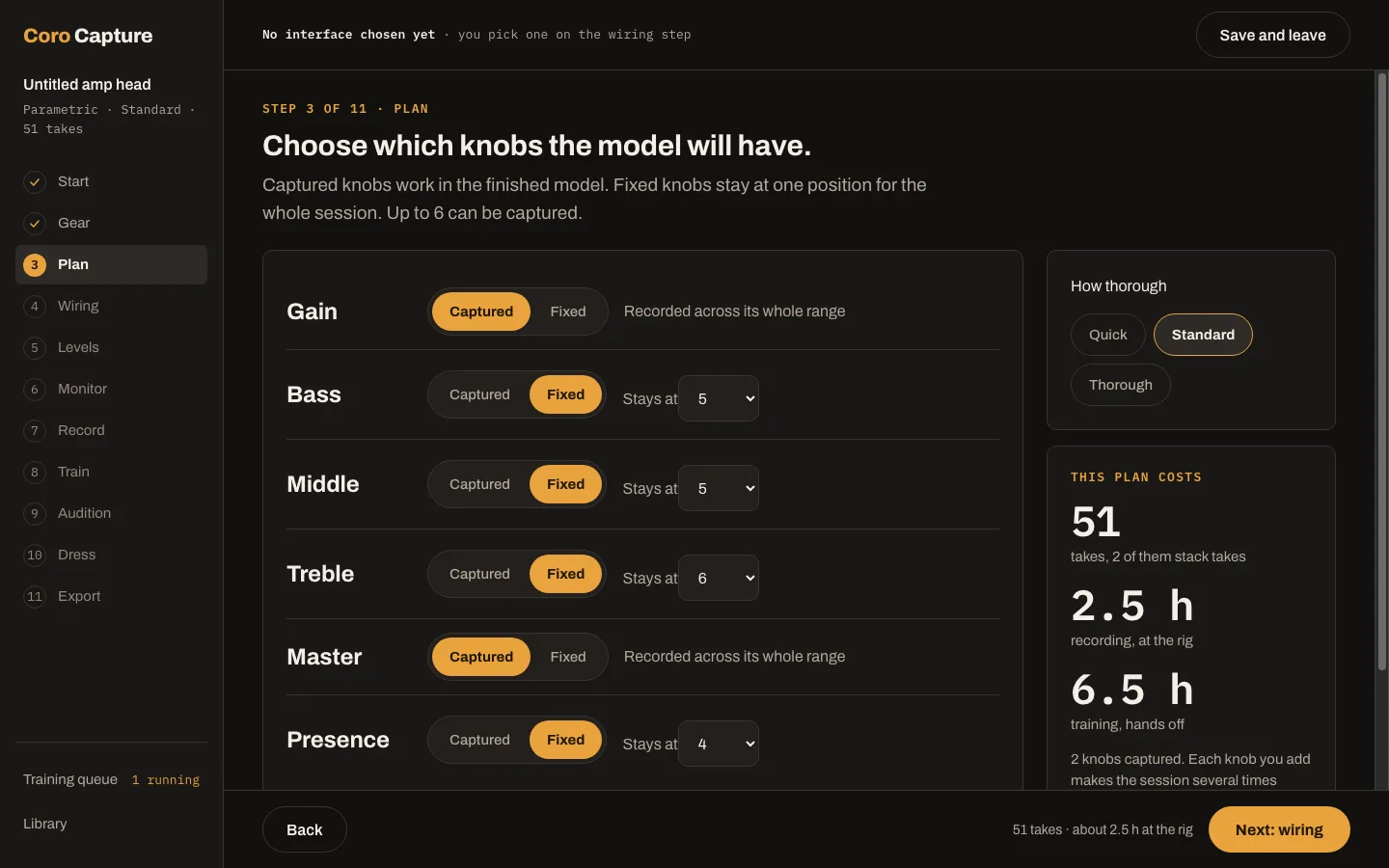
Choose which knobs to capture and the app plans the settings: about fifty takes, one per setting. It trains one model in which every captured knob turns. Training runs a few hours, often overnight.
- Every captured knob turns
- Training runs while you sleep
Eleven steps. It tells you what to do next.
Each screen does one job and says what comes next. Leave in the middle and pick up where you left off.
- 1StartStatic or parametric.
- 2GearWhat you're capturing.
- 3PlanparametricThe knobs you choose; it plans the settings.
- 4WiringWhich output and input go where.
- 5LevelsSet the signal going in and coming back.
- 6MonitorHear the gear through the app.
- 7RecordOne take, or one per knob setting.
- 8TrainInto the queue, on your Mac.
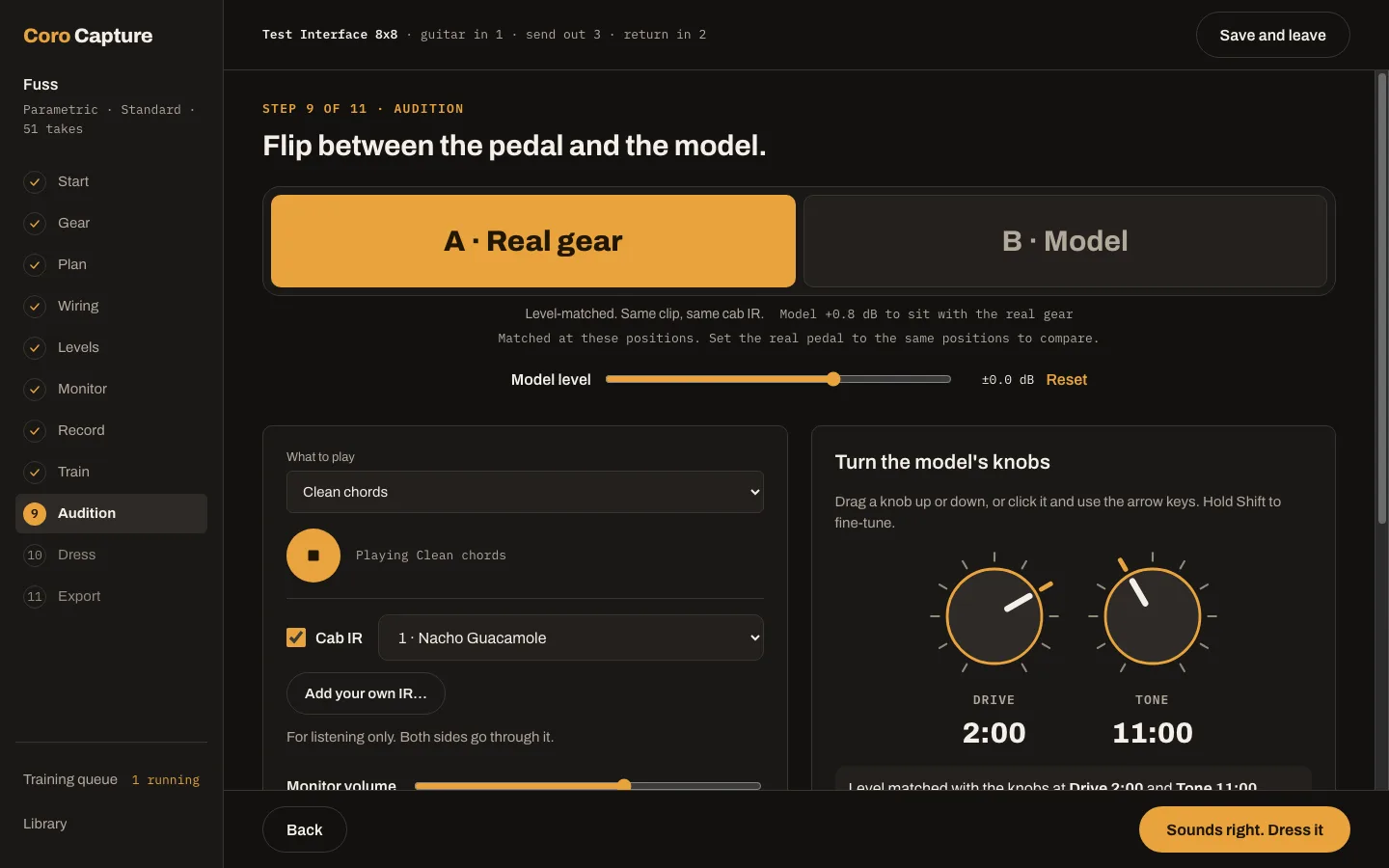
- 9AuditionReal gear against the model.
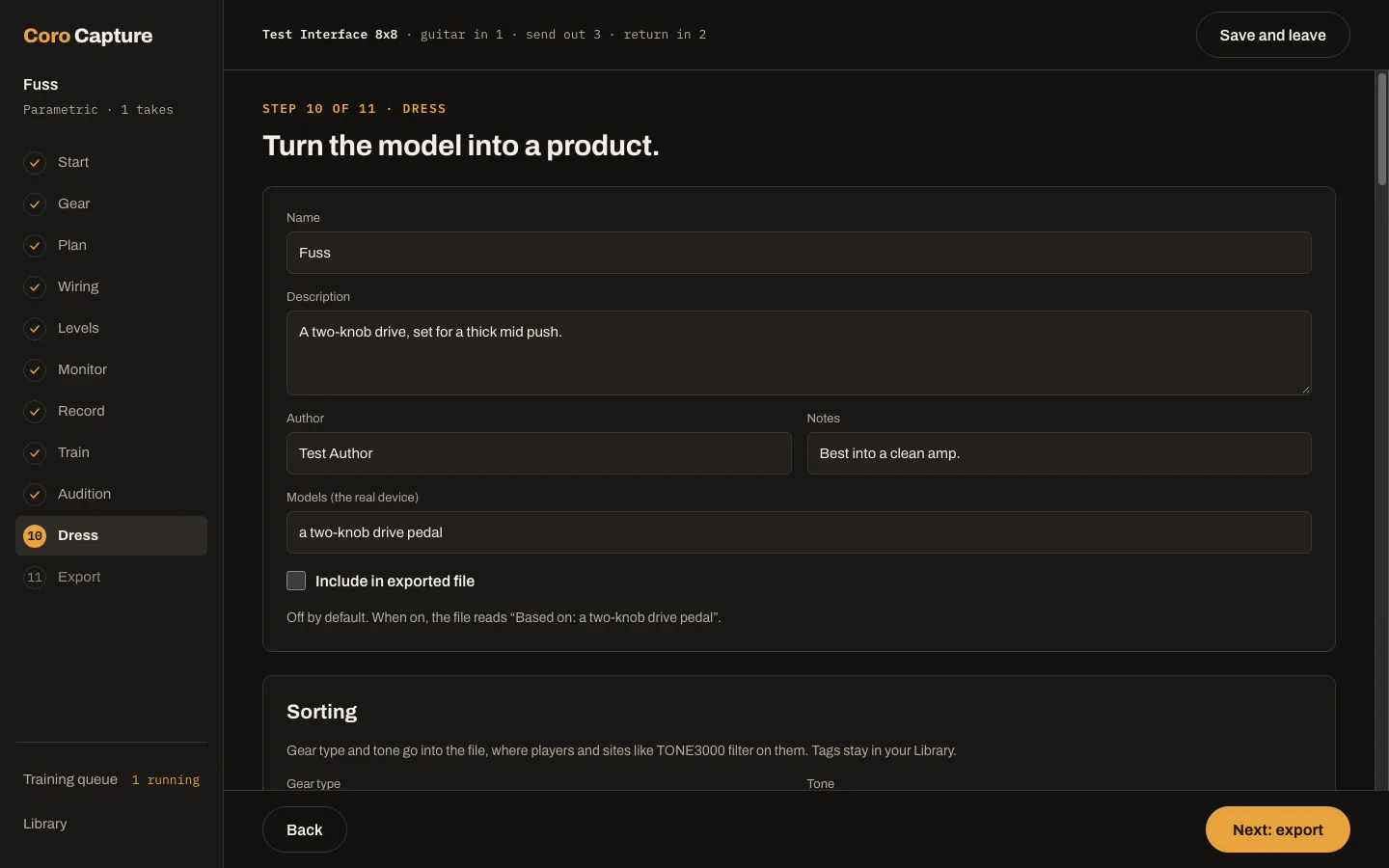
- 10DressName it, give it a face.
- 11ExportA .nam file.
Install it, plug in, capture.
No Python, no command line, nothing else to set up.
The trainer is inside
One installer.
The training software ships inside the app. There is nothing to install alongside it and no terminal to open.
Trains on your Mac
On the Mac’s GPU.
Training runs on your Mac, on its own GPU. Nothing is sent off to be trained.
Walk away
A background queue.
Captures wait their turn in a training queue that keeps going after you quit the app. Come back to a finished model.
A bad take, caught while you’re still at the gear.
Each take is checked as it comes in. If something’s off, the app says what, in plain words. Record it again or keep it.
Sounds bypassed
The take came back clean, as if the pedal was off or the signal skipped it.
The sound changed while it recorded
A knob bumped, a cable, the power: the end of the take doesn't match the start.
Doesn't fit its neighbours
A take that sounds out of line with the knob settings around it.
Polarity flipped
The take came back upside down compared with the others.
An accuracy report in plain words.
Every take gets a grade, including takes the model never saw in training: the honest test of how it sounds between the settings you recorded.
- Excellent
- Good
- Usable
- Weak
Audition
A and B, level-matched.
Flip between the real gear and the model with sample DI clips or your own guitar live. Turn the model’s knobs directly and set the real ones to match.
Takes it never saw
The honest test.
Some takes are kept out of training and graded on their own, so the report tells you how the model plays at settings you didn’t record, not just the ones it learned.
Make it look like the gear.
Your capture leaves the app as a finished product: a name, a faceplate and a file.
Dress
Design the plugin faceplate for your capture: its name, its look, its knob labels. Sort it with a gear type, a tone type and tags.
Export
Save a .nam file. It opens in Coro NAM Player, free, with its faceplate and its knobs. Static captures play in other NAM players too.
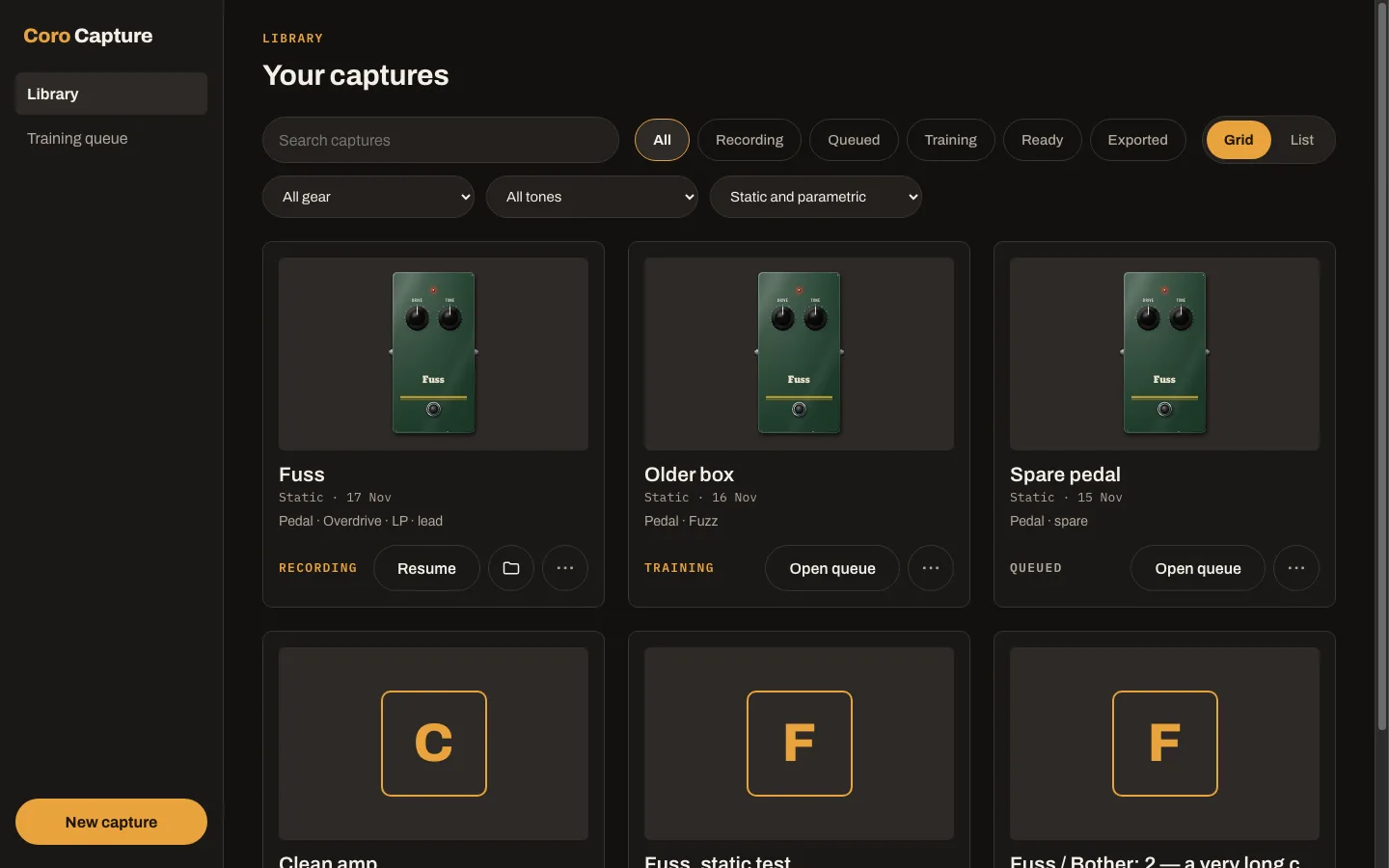
Library
Every capture you’ve made, with its faceplate. Grid or list, filtered by status, gear, tone and kind.
An interface, the gear, and a little time.
The app plays a test signal out of your interface, through your pedal or amp, and records what comes back. Keep the gear untouched while a take records.
The installer is about 400 MB. On first launch the app downloads NAM’s standard training signal (27 MB) from the Neural Amp Modeler project.
- MacApple silicon, macOS 12 or later
- Audio interfaceOne spare output and one spare input
- Your gearThe pedal or amp you want to capture
- HelpsA reamp box
- Amp headsA load box
Credit where it’s due.
Neural Amp Modeler
The model and the file.
Steven Atkinson’s open source Neural Amp Modeler is the model, the training signal and the .nam file format.
PANAMA
The parametric trainer.
Parametric captures are trained with PANAMA, from researchers at ETH Zürich, under the MIT licence.
Free.
Create a free Murphy Research account, then download the installer from your dashboard.
macOS appApple silicon macOS 12+ · about 400 MB
Play your captures in Coro NAM Player, also free.